Record or import
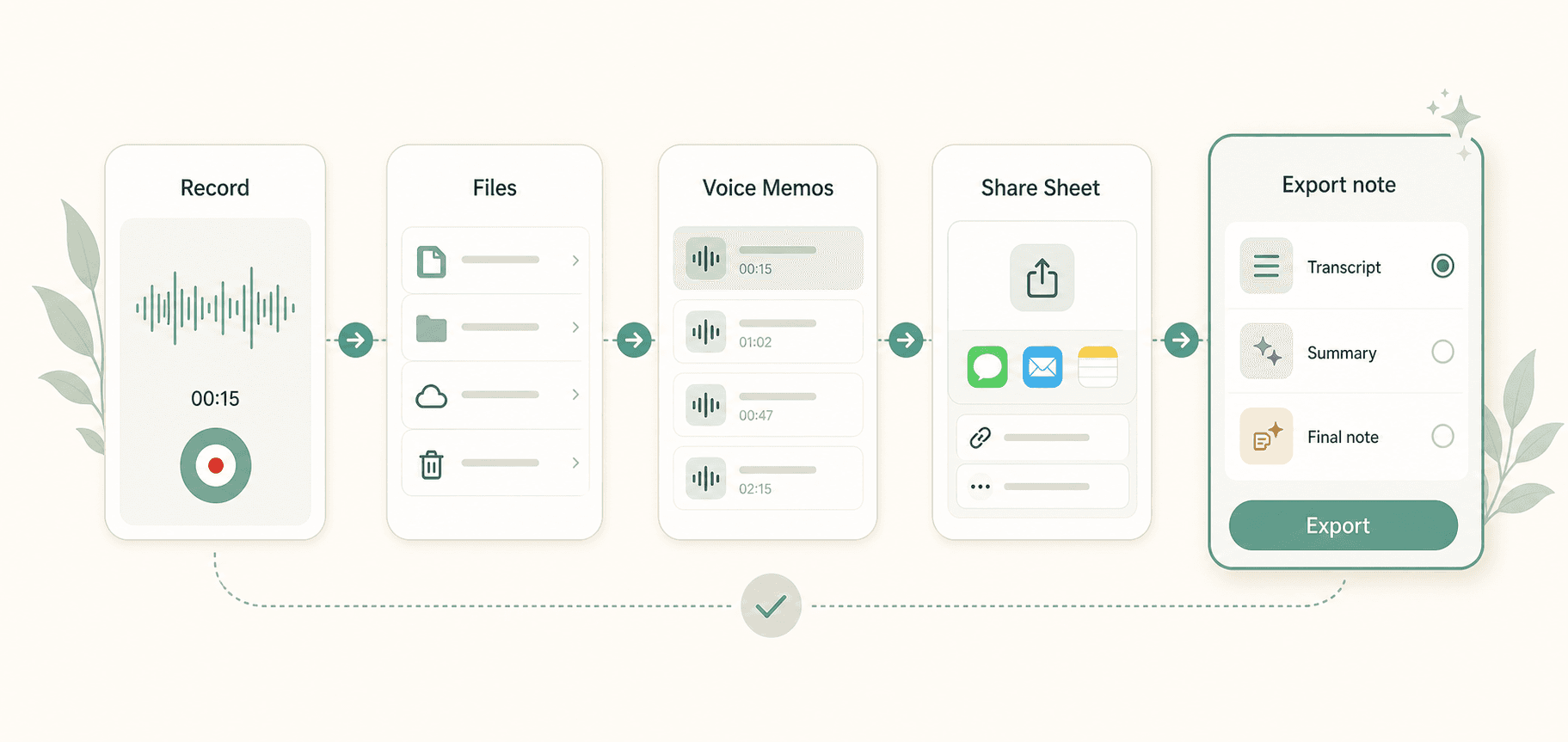
Capture a new thought in the app, import from Files, or send audio into Scriptor through the iOS Share Sheet.
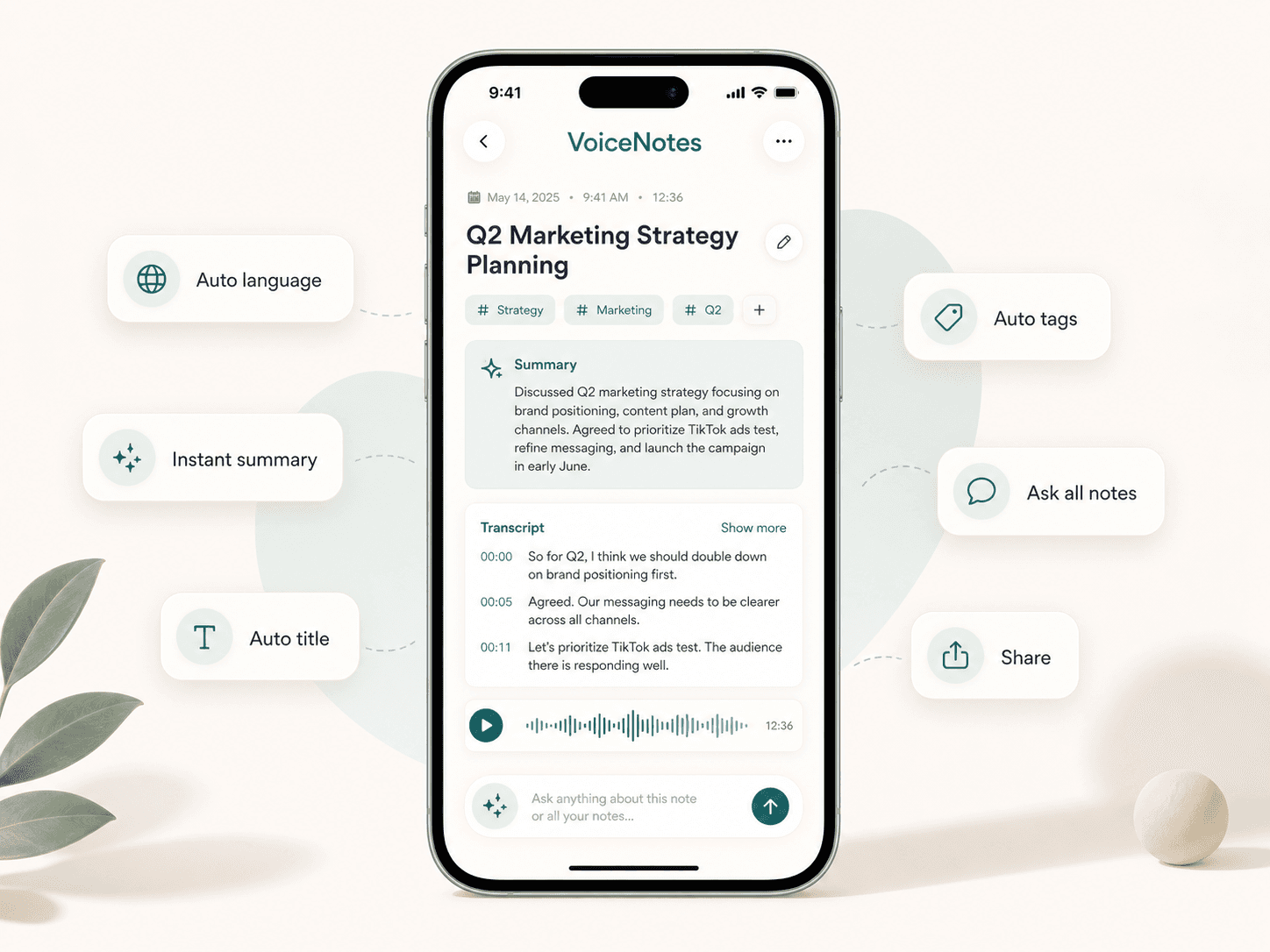
AI voice notes for iPhone
Record thoughts, import audio, and turn speech into searchable notes with transcripts, summaries, and AI chat — search or ask AI across your notes.
For voice memos, ideas, meetings, lectures, interviews, follow-ups, and personal notes.
The problem
Voice is the fastest way to capture thoughts, but raw recordings are difficult to search, reread, edit, organize, and share. Scriptor turns audio into structured AI notes that are as useful as text.
How it works
The core workflow stays low-friction: record or import audio, get the transcript, let Scriptor organize the note, then ask, translate, edit, or export.
Capture a new thought in the app, import from Files, or send audio into Scriptor through the iOS Share Sheet.
High-quality speech-to-text transcription turns voice memos, meetings, lectures, and interviews into readable text.
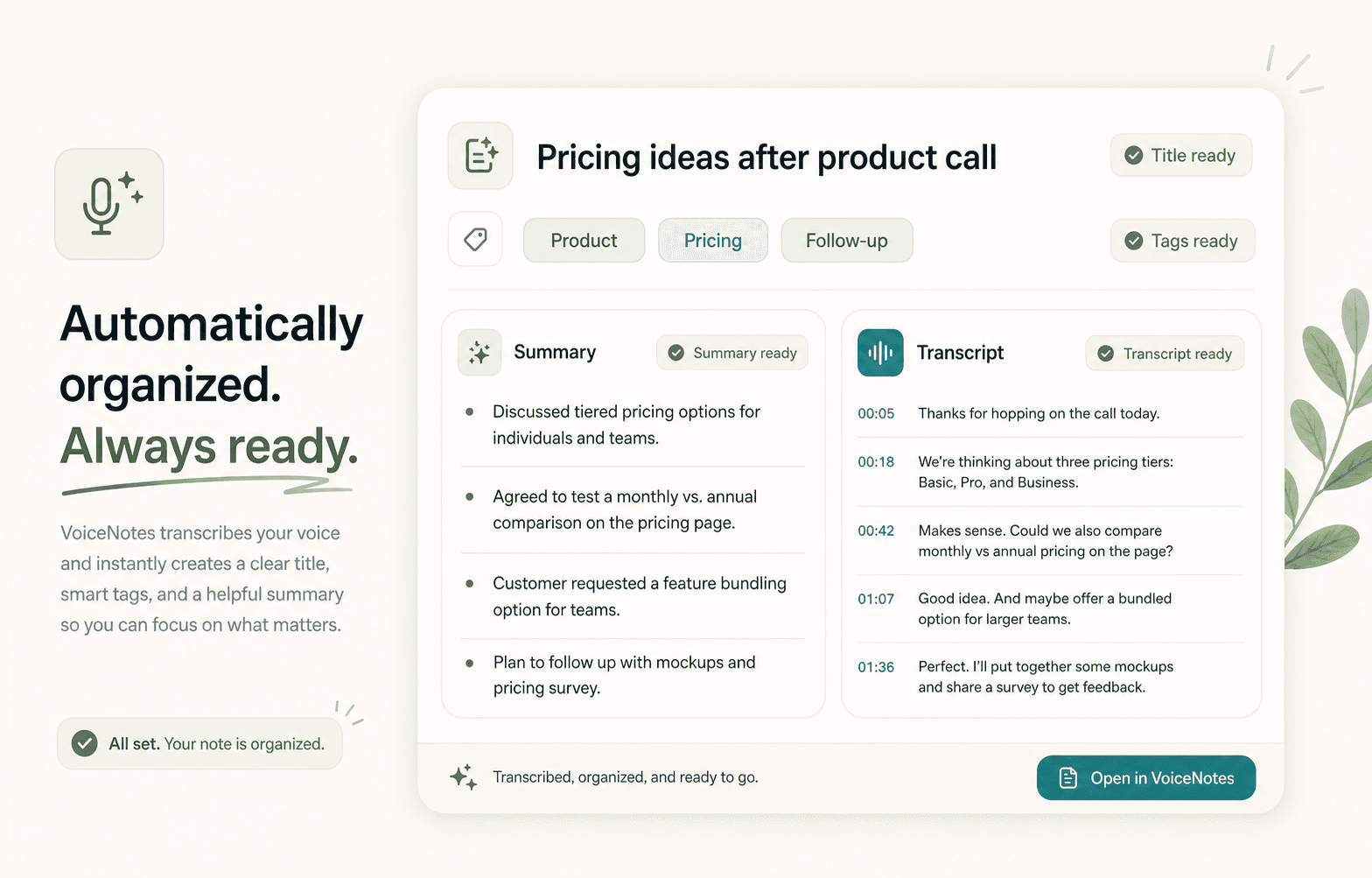
Scriptor identifies the main idea, creates a useful title, adds a concise summary, and applies helpful tags automatically.
Chat with one note, ask across your library, translate the AI note, edit the result, and share the exact version you need.
Capture
Scriptor works as an iPhone voice recorder and an audio import workspace. Record directly, import from Files or iCloud Drive, bring in Voice Memos, or send audio from other apps through the iOS Share Sheet.
Automatic organization
After transcription, Scriptor identifies the main idea, creates a useful title, adds a concise AI summary, highlights action items when relevant, and applies helpful tags. Your recording becomes an organized, searchable note without manual cleanup after every capture.
AI chat
Chat with a single note and ask AI to summarize, rewrite, reformat, translate, extract tasks, turn rough thoughts into an email, or find decisions and follow-ups.
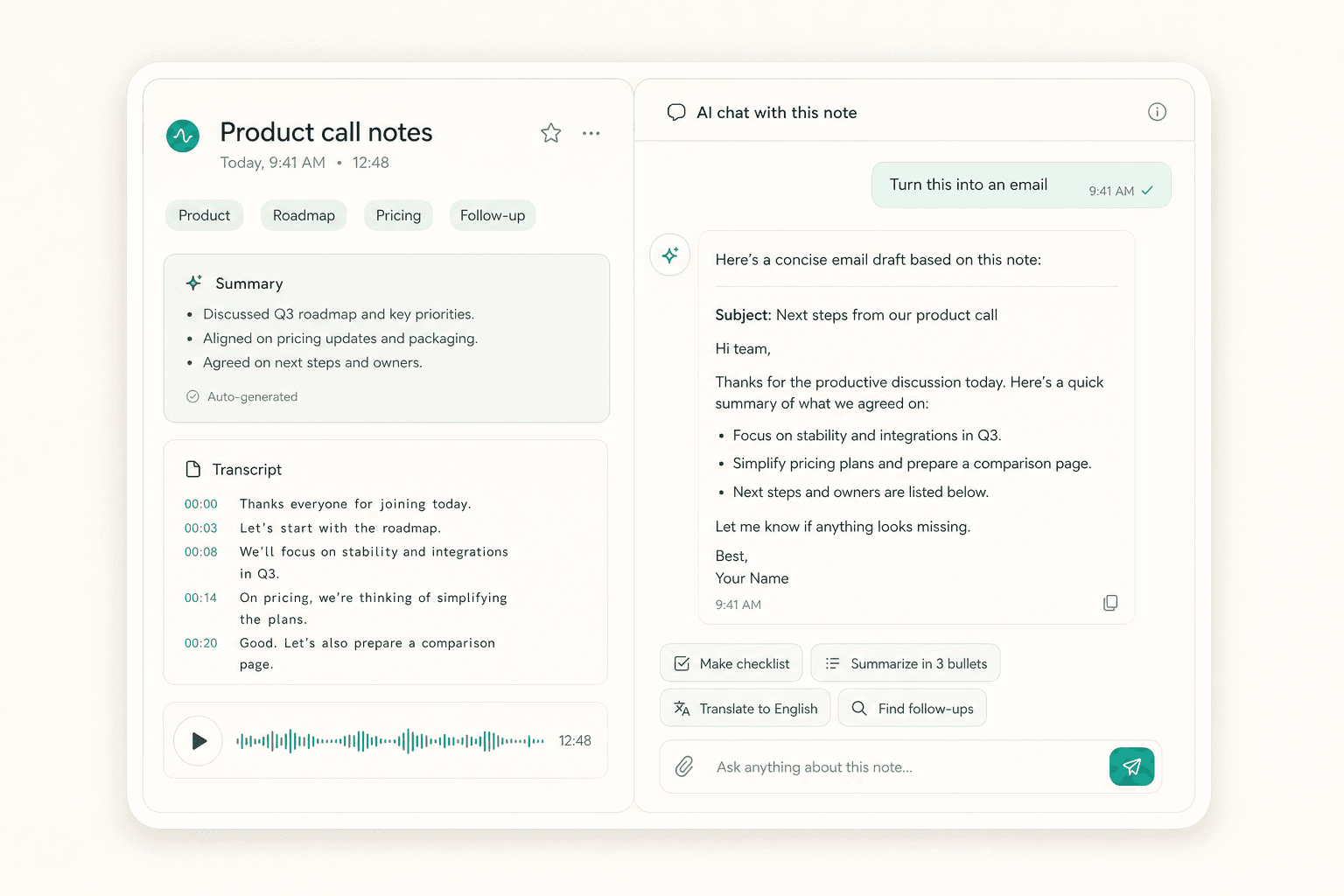
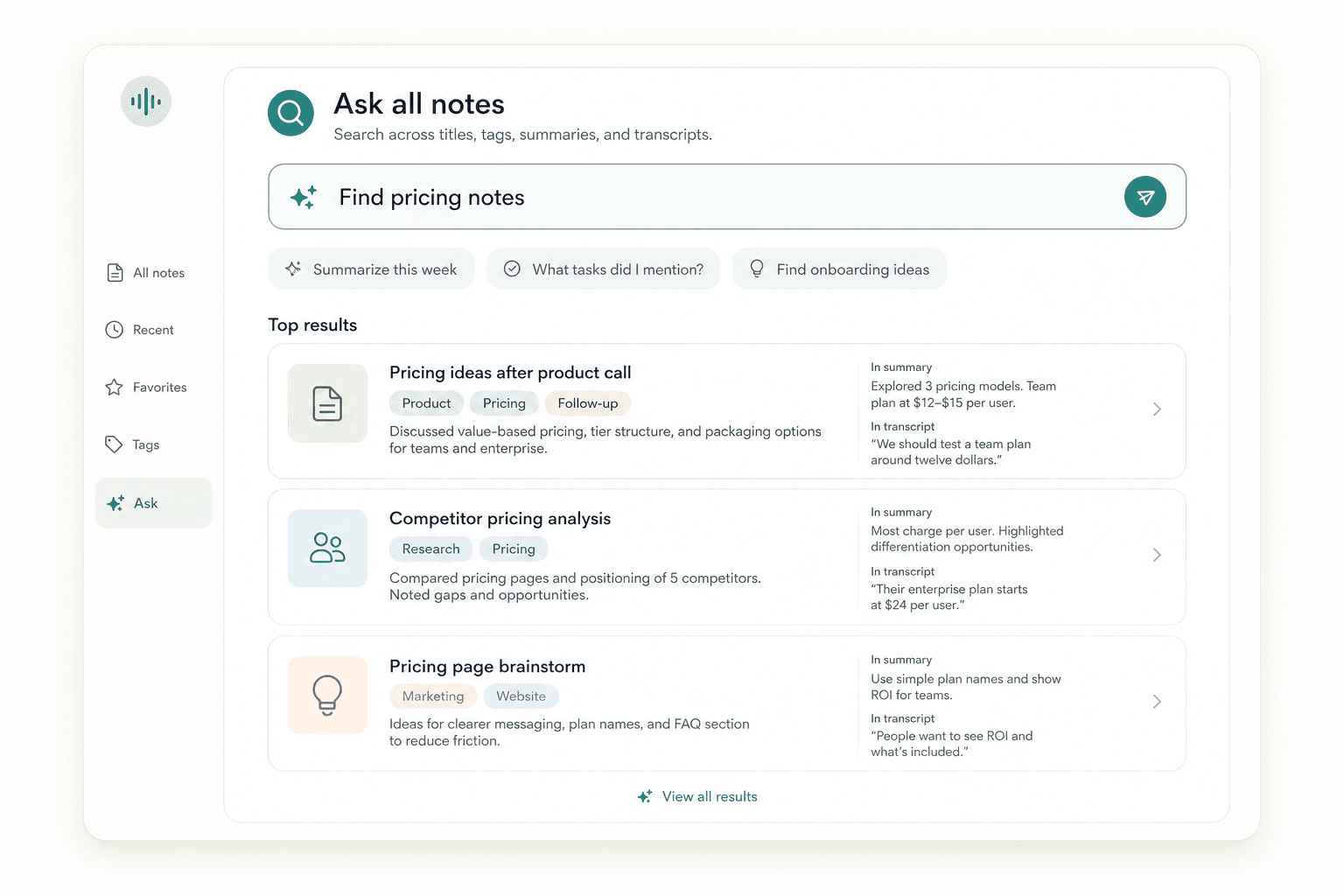
Scriptor can work like a personal memory layer for saved voice notes. Automatic titles, summaries, tags, transcripts, and AI chat make your library easier to search and reuse.
Export
The original transcript remains preserved as the source of truth, while the AI note can be edited and transformed. When it is time to share, choose whether to include the transcript, AI summary, or final AI note.
Use cases
Use Scriptor for short captures and long sessions alike, from solo thinking to structured work.
Speak first, organize later, and keep fast thoughts searchable.
Turn discussions into transcripts, summaries, decisions, and follow-ups.
Review long sessions as readable notes instead of replaying audio.
Preserve the transcript and extract quotes, themes, and next steps.
Import audio from other apps and convert it into useful text.
Ask across older notes to find ideas, tasks, topics, and decisions.
Coming soon on iOS
Record a thought, import audio, or send a file through Share Sheet. Scriptor turns it into a clear note you can search, edit, translate, and ask about.